

Thinking about getting Gmail for your business?
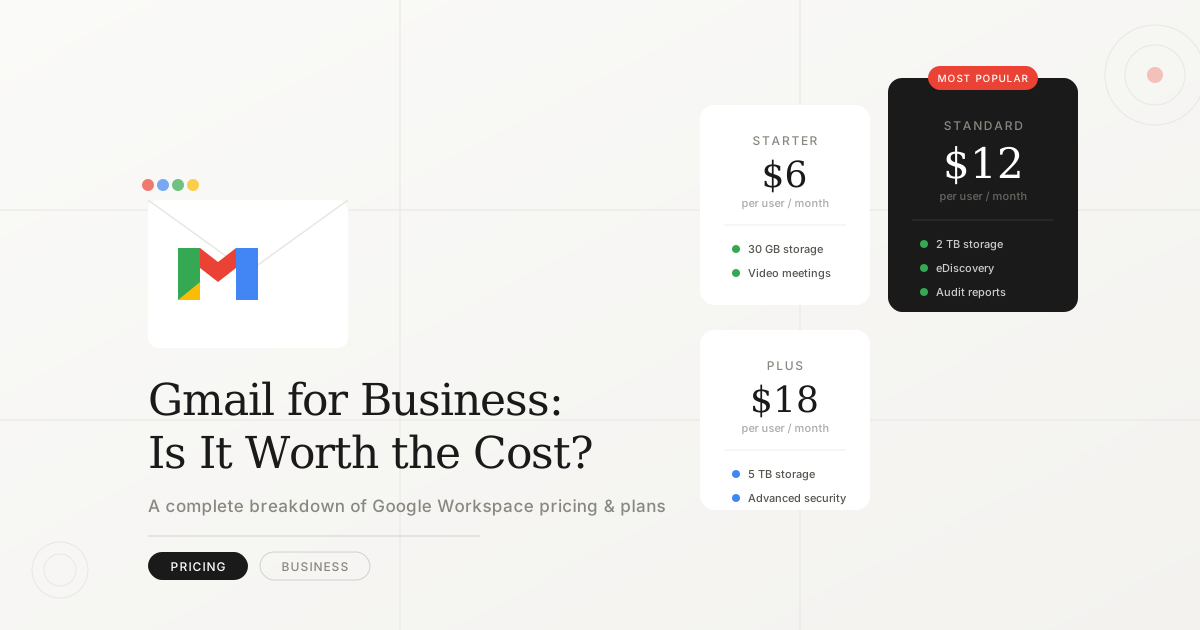
You might be surprised to learn that business Gmail isn’t free, it’s part of Google Workspace (formerly G Suite), which starts at $6/user/month.
In this comprehensive guide, we’ll break down:
- ✅ Exact pricing for all Google Workspace plans
- ✅ What you get with each tier
- ✅ Hidden costs to watch out for
- ✅ How it compares to alternatives
- ✅ Tips to save money
Let’s dive in.
Quick Answer: Gmail Business Pricing
| Plan | Price | Best For |
| Business Starter | $6/user/mo | Small teams (1-10) |
| Business Standard | $12/user/mo | Growing businesses |
| Business Plus | $18/user/mo | Larger teams, security-focused |
| Enterprise | Custom pricing | 300+ employees |
All prices are billed annually. Monthly billing costs 20% more.
What Is Google Workspace?
Google Workspace is Google’s business suite that includes:
- Gmail with custom domain (@yourcompany.com)
- Google Drive (cloud storage)
- Google Meet (video conferencing)
- Google Docs, Sheets, Slides (productivity apps)
- Google Calendar
- Google Chat
- Admin controls and security
Personal Gmail (the free version) does NOT include custom email domains or business features.
Complete Pricing Breakdown
Business Starter – $6/user/month
Who it’s for: Small businesses, freelancers, startups
What you get:
- ✅ Custom business email (@yourcompany.com)
- ✅ 30 GB storage per user
- ✅ Video meetings (up to 100 participants)
- ✅ Standard security
- ✅ 24/7 support
Limitations:
- ❌ Only 30 GB storage (can fill up quickly)
- ❌ No recording for video meetings
- ❌ Basic admin controls
- ❌ No advanced security features
Best for:
- 1-10 employees
- Basic email needs
- Light cloud storage usage
- Budget-conscious startups
Real cost example:
- 5 employees × $6 = $30/month ($360/year)
Business Standard – $12/user/month ⭐ MOST POPULAR
Who it’s for: Growing businesses, remote teams
What you get:
- ✅ Everything in Starter, plus:
- ✅ 2 TB storage per user (massive upgrade)
- ✅ Video meetings (up to 150 participants)
- ✅ Recording and transcripts for meetings
- ✅ Noise cancellation
- ✅ Email layouts and templates
- ✅ Better admin controls
- ✅ Shared drives (team collaboration)
Limitations:
- ❌ Still lacks advanced security (eDiscovery, Vault, DLP)
- ❌ No attendance tracking in Meet
Best for:
- 10-50 employees
- Remote teams (heavy Meet usage)
- Content creators (need storage)
- Marketing/sales teams
Real cost example:
- 20 employees × $12 = $240/month ($2,880/year)
Business Plus – $18/user/month
Who it’s for: Security-conscious businesses, regulated industries
What you get:
- ✅ Everything in Standard, plus:
- ✅ 5 TB storage per user
- ✅ Video meetings (up to 500 participants)
- ✅ Attendance tracking in Meet
- ✅ Advanced security:
- Vault (data retention and eDiscovery)
- Data Loss Prevention (DLP)
- Advanced endpoint management
- ✅ Enhanced admin controls
- ✅ Google Meet hardware compatibility
Limitations:
- ❌ Still not enterprise-level security
- ❌ No AppSheet Core included (for custom apps)
Best for:
- 50-200 employees
- Compliance-heavy industries (healthcare, finance, legal)
- Companies handling sensitive data
- Teams needing large storage
Real cost example:
- 50 employees × $18 = $900/month ($10,800/year)
Enterprise – Custom Pricing
Who it’s for: Large corporations (300+ employees)
What you get:
- ✅ Everything in Plus, plus:
- ✅ Unlimited storage (or 1 TB/user if fewer than 5 users)
- ✅ Video meetings (up to 1,000 participants + 100,000 viewers)
- ✅ Advanced security and compliance tools
- ✅ AppSheet Core (no-code app builder)
- ✅ Dedicated account manager
- ✅ SLA (99.9% uptime guarantee)
- ✅ Custom integrations
Pricing:
- Must contact sales for quote
- Typically $20-30+/user/month depending on features
Best for:
- 300+ employees
- Multinational companies
- Complex compliance needs
- Custom feature requirements
Annual vs Monthly Billing
| Billing Type | Cost Impact | Commitment |
| Annual | Standard pricing | Paid upfront, 12-month contract |
| Monthly | +20% more expensive | No commitment, cancel anytime |
Example (Business Standard):
- Annual: $12/user/month ($144/year per user)
- Monthly: $14.40/user/month ($172.80/year per user)
💡 Tip: Start with monthly to test, then switch to annual to save 20%.
Hidden Costs & Considerations
1. Storage Add-Ons
If you exceed your plan’s storage, you’ll need to:
- Upgrade to the next tier, OR
- Purchase additional storage separately
2. Third-Party Add-Ons
Many businesses add tools like:
- Email signature managers ($2-5/user/month)
- Advanced backup solutions ($3-10/user/month)
- CRM integrations (varies)
3. Domain Registration
You need a custom domain (@yourcompany.com):
- Through Google Domains: ~$12/year
- Through other registrars: $10-20/year
4. Migration Costs
Switching from another email provider may require:
- Professional migration service: $5-15/user one-time
- Or DIY (free but time-consuming)
5. Training Time
Employees unfamiliar with Google Workspace need onboarding:
- Budget 2-4 hours per employee for training
Total first-year cost estimate (10 users, Business Standard):
- Google Workspace: $1,440/year
- Domain: $15/year
- Migration: $100 (one-time)
- Total: ~$1,555 first year, $1,455/year after
Free Gmail vs Business Gmail: What’s the Difference?
| Feature | Free Gmail | Business Gmail |
| Cost | $0 | $6-18/user/month |
| Email address | you@gmail.com | you@yourcompany.com |
| Storage | 15 GB (shared) | 30 GB – 5 TB |
| Ads | Yes | No ads |
| Support | Community forums | 24/7 phone/chat |
| Custom branding | No | Yes |
| Admin controls | No | Yes |
| Security | Basic | Advanced options |
| Meeting length | 1 hour (3+ people) | 24 hours |
| Meet participants | 100 | 100-500 |
| Professional image | ❌ | ✅ |
Bottom line: Free Gmail works for personal use, but businesses need the professionalism and features of Google Workspace.
Google Workspace vs Competitors
vs Microsoft 365
| Feature | Google Workspace | Microsoft 365 Business |
| Starting price | $6/user/month | $6/user/month |
| Gmail | Outlook | |
| Storage (base) | 30 GB | 1 TB |
| Office apps | Docs, Sheets, Slides | Word, Excel, PowerPoint |
| Desktop apps | Web-only | Full desktop apps |
| Collaboration | Real-time (better) | Good, not as seamless |
| Best for | Remote teams, startups | Enterprise, traditional offices |
vs Zoho Workplace
| Feature | Google Workspace | Zoho Workplace |
| Starting price | $6/user/month | $3/user/month |
| Brand recognition | High | Lower |
| Features | Comprehensive | Good, fewer integrations |
| Best for | Most businesses | Budget-conscious SMBs |
vs Proton Mail
| Feature | Google Workspace | Proton Mail Business |
| Starting price | $6/user/month | $8/user/month |
| Privacy | Standard | End-to-end encrypted |
| Features | Full suite | Email + limited tools |
| Best for | Full productivity | Privacy-focused email |
Winner for most businesses: Google Workspace offers the best balance of features, reliability, and price.
How to Save Money on Google Workspace
1. Start with Business Starter
- Upgrade only when you need more storage or features
- Don’t overpay for features you don’t use
2. Choose Annual Billing
- Save 20% vs monthly billing
- Lock in pricing for 12 months
3. Remove Inactive Users
- Audit your users quarterly
- Remove or suspend accounts you’re not using
4. Use Google One for Storage (Personal)
If you only need more storage (not business features):
- Google One: $1.99/mo for 100 GB (personal accounts)
- But no custom domain or business features
5. Negotiate for Larger Teams
- 100+ users? Contact sales for volume discounts
- Enterprise plans have more negotiation flexibility
6. Use Free Alternatives for Some Functions
- Calendly (free tier) instead of appointment scheduling add-ons
- Slack free tier if you don’t need Google Chat
Is Google Workspace Worth It?
✅ YES, if you:
- Need custom email domain (e.g., @yourcompany.com)
- Collaborate heavily with team members
- Want reliable 24/7 support
- Value brand credibility
- Use Google Meet regularly
- Need cloud storage and docs
❌ NO, if you:
- Only need personal email (use free Gmail)
- Require desktop-first Office apps (consider Microsoft 365)
- Need maximum privacy/encryption (consider Proton Mail)
- Have under 5 employees and tight budget (consider Zoho)
How to Get Started
Step 1: Choose Your Plan
Start with Business Starter ($6/user/mo) unless you know you need:
- More storage → Business Standard
- Advanced security → Business Plus
Step 2: Get a Domain
If you don’t have one:
- Register Namecheap
- Cost: ~$12-15/year
Step 3: Sign Up
- Go to workspace.google.com
- Click “Get Started”
- Follow the setup wizard
- Add your team members
Step 4: Migrate Email (if needed)
- Use Google’s built-in migration tool
- Or hire a professional for seamless migration
Step 5: Train Your Team
- Share Google’s training resources
- Schedule onboarding sessions
Frequently Asked Questions
Can I use Gmail for business for free?
No. Business Gmail requires Google Workspace ($6+/user/month). Free Gmail doesn’t support custom domains.
Can I buy just Gmail without other Google Workspace apps?
No. Gmail business email is only available as part of Google Workspace, which includes all apps.
What happens if I stop paying?
- Your custom email stops working
- You have 60 days to download your data
- After 60 days, data may be deleted
Can I mix plans (some users on Starter, others on Standard)?
Yes! You can assign different plans to different users.
Do I need technical skills to set up?
No. Google’s setup wizard guides you through everything. Basic domain knowledge helps but isn’t required.
Conclusion
Google Workspace pricing summary:
- $6/user/month — Basic email + 30 GB storage
- $12/user/month — Best for most businesses (2 TB storage + recording)
- $18/user/month — Advanced security + 5 TB storage
- Custom pricing — Enterprise (unlimited storage + premium features)
Our recommendation: Start with Business Standard ($12/user/mo) for the best value. It offers ample storage, meeting recording, and all the collaboration tools most teams need.
Ready to upgrade your business email? Start your free 14-day trial