
How Much Does Gmail Cost for Business? Complete Pricing Guide 2026
Thinking about getting Gmail for your business?
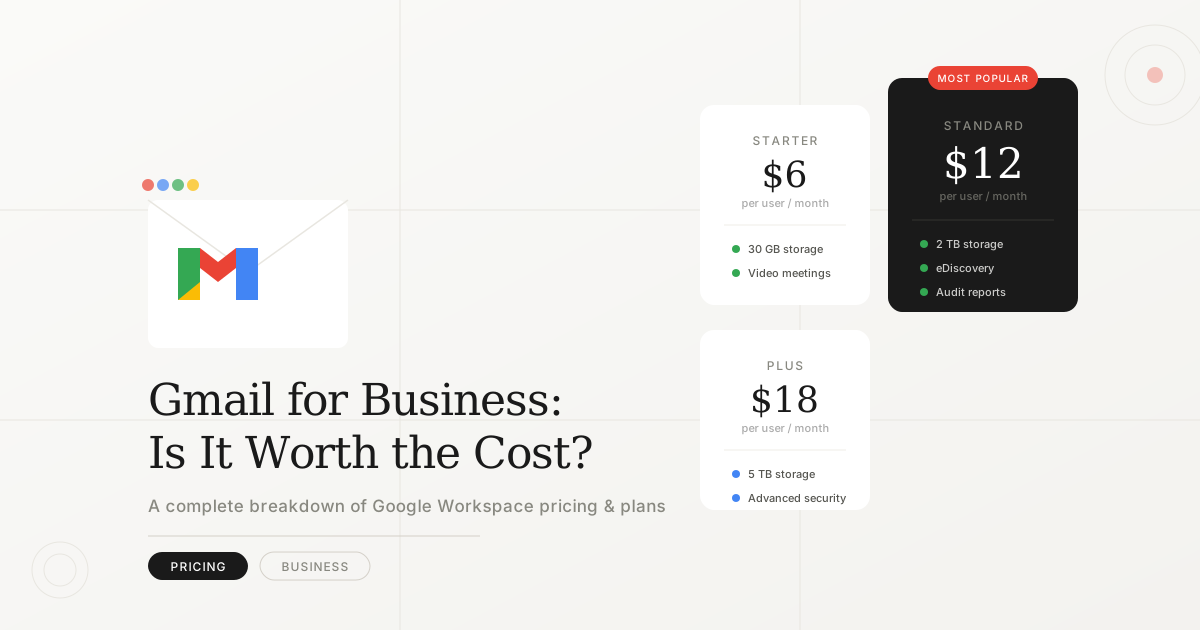
You might be surprised to learn that business Gmail isn't free, it's part of Google Workspace (formerly G Suite), which starts at $6/user/month.
In this comprehensive guide, we'll break down:
- ✅ Exact pricing for all Google Workspace plans
- ✅ What you get with each tier
- ✅ Hidden costs to watch out for
- ✅ How it compares to alternatives
- ✅ Tips to save money
Let's dive in.
Quick Answer: Gmail Business Pricing
| Plan | Price | Best For |
| Business Starter | $6/user/mo | Small teams (1-10) |
| Business Standard | $12/user/mo | Growing businesses |
| Business Plus | $18/user/mo | Larger teams, security-focused |
| Enterprise | Custom pricing | 300+ employees |
All prices are billed annually. Monthly billing costs 20% more.
What Is Google Workspace?
Google Workspace is Google's business suite that includes:
- Gmail with custom domain (@yourcompany.com)
- Google Drive (cloud storage)
- Google Meet (video conferencing)
- Google Docs, Sheets, Slides (productivity apps)
- Google Calendar
- Google Chat
- Admin controls and security
Personal Gmail (the free version) does NOT include custom email domains or business features.
Complete Pricing Breakdown
Business Starter - $6/user/month
Who it's for: Small businesses, freelancers, startups
What you get:
- ✅ Custom business email (@yourcompany.com)
- ✅ 30 GB storage per user
- ✅ Video meetings (up to 100 participants)
- ✅ Standard security
- ✅ 24/7 support
Limitations:
- ❌ Only 30 GB storage (can fill up quickly)
- ❌ No recording for video meetings
- ❌ Basic admin controls
- ❌ No advanced security features
Best for:
- 1-10 employees
- Basic email needs
- Light cloud storage usage
- Budget-conscious startups
Real cost example:
- 5 employees × $6 = $30/month ($360/year)
Business Standard - $12/user/month ⭐ MOST POPULAR
Who it's for: Growing businesses, remote teams
What you get:
- ✅ Everything in Starter, plus:
- ✅ 2 TB storage per user (massive upgrade)
- ✅ Video meetings (up to 150 participants)
- ✅ Recording and transcripts for meetings
- ✅ Noise cancellation
- ✅ Email layouts and templates
- ✅ Better admin controls
- ✅ Shared drives (team collaboration)
Limitations:
- ❌ Still lacks advanced security (eDiscovery, Vault, DLP)
- ❌ No attendance tracking in Meet
Best for:
- 10-50 employees
- Remote teams (heavy Meet usage)
- Content creators (need storage)
- Marketing/sales teams
Real cost example:
- 20 employees × $12 = $240/month ($2,880/year)
Business Plus - $18/user/month
Who it's for: Security-conscious businesses, regulated industries
What you get:
- ✅ Everything in Standard, plus:
- ✅ 5 TB storage per user
- ✅ Video meetings (up to 500 participants)
- ✅ Attendance tracking in Meet
- ✅ Advanced security:
- Vault (data retention and eDiscovery)
- Data Loss Prevention (DLP)
- Advanced endpoint management
- ✅ Enhanced admin controls
- ✅ Google Meet hardware compatibility
Limitations:
- ❌ Still not enterprise-level security
- ❌ No AppSheet Core included (for custom apps)
Best for:
- 50-200 employees
- Compliance-heavy industries (healthcare, finance, legal)
- Companies handling sensitive data
- Teams needing large storage
Real cost example:
- 50 employees × $18 = $900/month ($10,800/year)
Enterprise - Custom Pricing
Who it's for: Large corporations (300+ employees)
What you get:
- ✅ Everything in Plus, plus:
- ✅ Unlimited storage (or 1 TB/user if fewer than 5 users)
- ✅ Video meetings (up to 1,000 participants + 100,000 viewers)
- ✅ Advanced security and compliance tools
- ✅ AppSheet Core (no-code app builder)
- ✅ Dedicated account manager
- ✅ SLA (99.9% uptime guarantee)
- ✅ Custom integrations
Pricing:
- Must contact sales for quote
- Typically $20-30+/user/month depending on features
Best for:
- 300+ employees
- Multinational companies
- Complex compliance needs
- Custom feature requirements
Annual vs Monthly Billing
| Billing Type | Cost Impact | Commitment |
| Annual | Standard pricing | Paid upfront, 12-month contract |
| Monthly | +20% more expensive | No commitment, cancel anytime |
Example (Business Standard):
- Annual: $12/user/month ($144/year per user)
- Monthly: $14.40/user/month ($172.80/year per user)
💡 Tip: Start with monthly to test, then switch to annual to save 20%.
Hidden Costs & Considerations
1. Storage Add-Ons
If you exceed your plan's storage, you'll need to:
- Upgrade to the next tier, OR
- Purchase additional storage separately
2. Third-Party Add-Ons
Many businesses add tools like:
- Email signature managers ($2-5/user/month)
- Advanced backup solutions ($3-10/user/month)
- CRM integrations (varies)
3. Domain Registration
You need a custom domain (@yourcompany.com):
- Through Google Domains: ~$12/year
- Through other registrars: $10-20/year
4. Migration Costs
Switching from another email provider may require:
- Professional migration service: $5-15/user one-time
- Or DIY (free but time-consuming)
5. Training Time
Employees unfamiliar with Google Workspace need onboarding:
- Budget 2-4 hours per employee for training
Total first-year cost estimate (10 users, Business Standard):
- Google Workspace: $1,440/year
- Domain: $15/year
- Migration: $100 (one-time)
- Total: ~$1,555 first year, $1,455/year after
Free Gmail vs Business Gmail: What's the Difference?
| Feature | Free Gmail | Business Gmail |
| Cost | $0 | $6-18/user/month |
| Email address | you@gmail.com | you@yourcompany.com |
| Storage | 15 GB (shared) | 30 GB - 5 TB |
| Ads | Yes | No ads |
| Support | Community forums | 24/7 phone/chat |
| Custom branding | No | Yes |
| Admin controls | No | Yes |
| Security | Basic | Advanced options |
| Meeting length | 1 hour (3+ people) | 24 hours |
| Meet participants | 100 | 100-500 |
| Professional image | ❌ | ✅ |
Bottom line: Free Gmail works for personal use, but businesses need the professionalism and features of Google Workspace.
Google Workspace vs Competitors
vs Microsoft 365
| Feature | Google Workspace | Microsoft 365 Business |
| Starting price | $6/user/month | $6/user/month |
| Gmail | Outlook | |
| Storage (base) | 30 GB | 1 TB |
| Office apps | Docs, Sheets, Slides | Word, Excel, PowerPoint |
| Desktop apps | Web-only | Full desktop apps |
| Collaboration | Real-time (better) | Good, not as seamless |
| Best for | Remote teams, startups | Enterprise, traditional offices |
vs Zoho Workplace
| Feature | Google Workspace | Zoho Workplace |
| Starting price | $6/user/month | $3/user/month |
| Brand recognition | High | Lower |
| Features | Comprehensive | Good, fewer integrations |
| Best for | Most businesses | Budget-conscious SMBs |
vs Proton Mail
| Feature | Google Workspace | Proton Mail Business |
| Starting price | $6/user/month | $8/user/month |
| Privacy | Standard | End-to-end encrypted |
| Features | Full suite | Email + limited tools |
| Best for | Full productivity | Privacy-focused email |
Winner for most businesses: Google Workspace offers the best balance of features, reliability, and price.
How to Save Money on Google Workspace
1. Start with Business Starter
- Upgrade only when you need more storage or features
- Don't overpay for features you don't use
2. Choose Annual Billing
- Save 20% vs monthly billing
- Lock in pricing for 12 months
3. Remove Inactive Users
- Audit your users quarterly
- Remove or suspend accounts you're not using
4. Use Google One for Storage (Personal)
If you only need more storage (not business features):
- Google One: $1.99/mo for 100 GB (personal accounts)
- But no custom domain or business features
5. Negotiate for Larger Teams
- 100+ users? Contact sales for volume discounts
- Enterprise plans have more negotiation flexibility
6. Use Free Alternatives for Some Functions
- Calendly (free tier) instead of appointment scheduling add-ons
- Slack free tier if you don't need Google Chat
Is Google Workspace Worth It?
✅ YES, if you:
- Need custom email domain (e.g., @yourcompany.com)
- Collaborate heavily with team members
- Want reliable 24/7 support
- Value brand credibility
- Use Google Meet regularly
- Need cloud storage and docs
❌ NO, if you:
- Only need personal email (use free Gmail)
- Require desktop-first Office apps (consider Microsoft 365)
- Need maximum privacy/encryption (consider Proton Mail)
- Have under 5 employees and tight budget (consider Zoho)
How to Get Started
Step 1: Choose Your Plan
Start with Business Starter ($6/user/mo) unless you know you need:
- More storage → Business Standard
- Advanced security → Business Plus
Step 2: Get a Domain
If you don't have one:
- Register Namecheap
- Cost: ~$12-15/year
Step 3: Sign Up
- Go to workspace.google.com
- Click "Get Started"
- Follow the setup wizard
- Add your team members
Step 4: Migrate Email (if needed)
- Use Google's built-in migration tool
- Or hire a professional for seamless migration
Step 5: Train Your Team
- Share Google's training resources
- Schedule onboarding sessions
Frequently Asked Questions
Can I use Gmail for business for free?
No. Business Gmail requires Google Workspace ($6+/user/month). Free Gmail doesn't support custom domains.
Can I buy just Gmail without other Google Workspace apps?
No. Gmail business email is only available as part of Google Workspace, which includes all apps.
What happens if I stop paying?
- Your custom email stops working
- You have 60 days to download your data
- After 60 days, data may be deleted
Can I mix plans (some users on Starter, others on Standard)?
Yes! You can assign different plans to different users.
Do I need technical skills to set up?
No. Google's setup wizard guides you through everything. Basic domain knowledge helps but isn't required.
Conclusion
Google Workspace pricing summary:
- $6/user/month — Basic email + 30 GB storage
- $12/user/month — Best for most businesses (2 TB storage + recording)
- $18/user/month — Advanced security + 5 TB storage
- Custom pricing — Enterprise (unlimited storage + premium features)
Our recommendation: Start with Business Standard ($12/user/mo) for the best value. It offers ample storage, meeting recording, and all the collaboration tools most teams need.
Ready to upgrade your business email? Start your free 14-day trial